Product Journal #15: Design your planet; look studio, identity, surface editor and buildings
·2 min read·nLink team

Product Journal · part 15 of 20All parts
- 1.the nLink core and its add-ons
- 2.The short link core and the journey of a click
- 3.Bekçi, the security layer for short links
- 4.Share cards, QR codes and the bio page
- 5.Analytics and growth tools
- 6.nLink for teams and developers
- 7.Link Universe, your links become planets (beta)
- 8.Live activities in the universe, space football and flying car races
- 9.Live stream holograms on planets, relayed to Twitch, YouTube and Kick
- 10.Parental controls for accounts of under-18s
- 11.Two ships, Âfâk and Kristal; waking in the pod and walkable rooms
- 12.Four games you play with your ship; Rescue, Courier, Orbit Slingshot and Asteroid Mining
- 13.Games on planets; Sudoku Planet, Mushroom Planet and Slime Workshop
- 14.Fading Stars, digital literacy through play
- 15.Design your planet; look studio, identity, surface editor and buildings
- 16.Day, night and dynamic weather on planets; realistic textures
- 17.The Link Universe is open to all; guest pilots and playing on phones
- 18.Core updates; daily site analytics, cookie choice and a new Bekçi rule
- 19.Seyyah (Eren); a new game of Anatolian legend and Sufi lore in the Link Universe
- 20.Cutscenes, automatic travel and neighbouring planets in the sky
In the Link Universe every link is a planet. Its owner shapes it in three layers: look, identity and surface. Once saved, changes look the same to everyone on a planet that is open to the universe.
Look studio
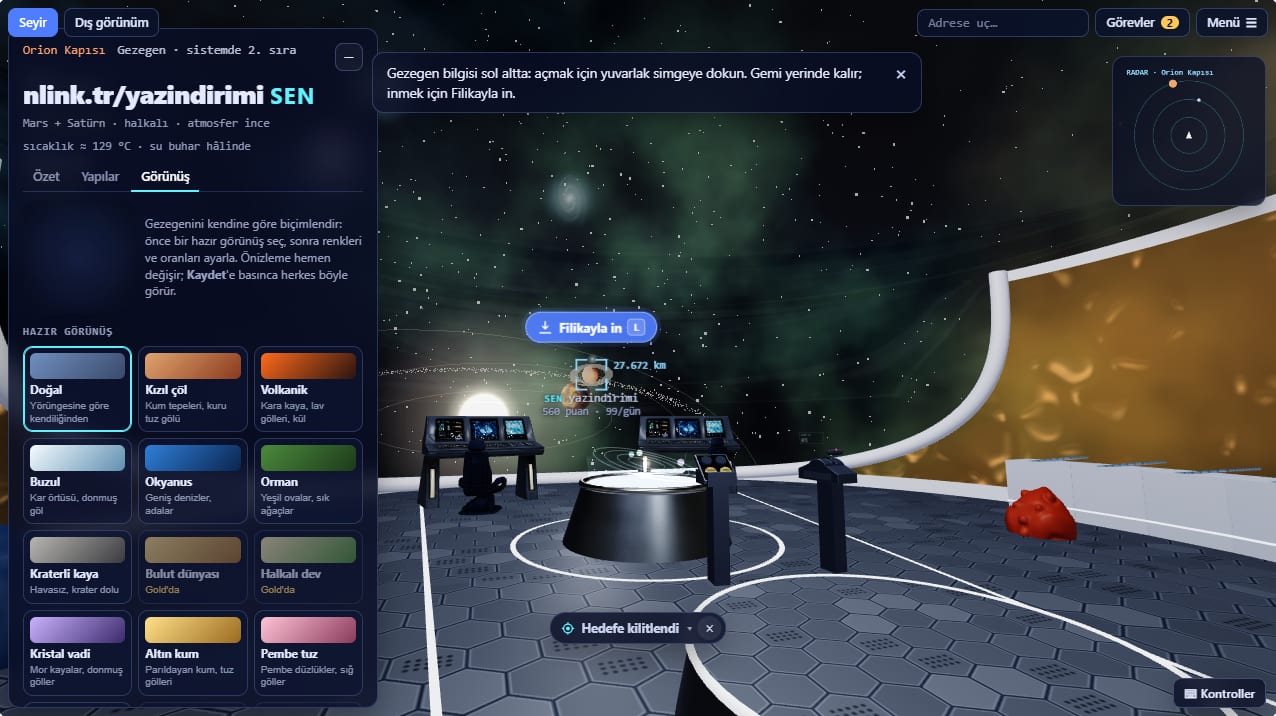
- Preset looks: natural, red desert, volcanic, glacier, ocean, forest, cratered rock, crystal valley, golden sand, pink salt and more. Cloud world and ringed giant are on the Gold plan.
- Fine tuning on top of the preset: colors, proportions, a ring. A spinning globe preview shows changes instantly.
- The look also shapes the surface: sky color, lake type (water, lava, frozen or dry), rock and shore color, tree density.
Identity
- Flag color, slogan and emblem. The emblem shows on a flagpole and a sign on the surface, and as a marker from space.
- On the Gold plan, a beacon satellite orbiting the planet.
- Uploaded images are reviewed before they go live.
Surface editor
- Opens from anywhere on the planet: the Edit button or B on computers, the hammer button on phones.
- Ready-made parts in the Nature, Decor and Structure tabs: trees, rocks, lanterns, benches, fountains, towers. Place 10, 30 or 80 parts depending on your plan.
- Rotate, copy, paint or delete a part; press and drag it to move it. Undo (Ctrl+Z) works for every step.
- On slopes, rocks and paving lie along the hillside; upright pieces like trees and towers sink to the lowest point of their base instead of floating.
Buildings
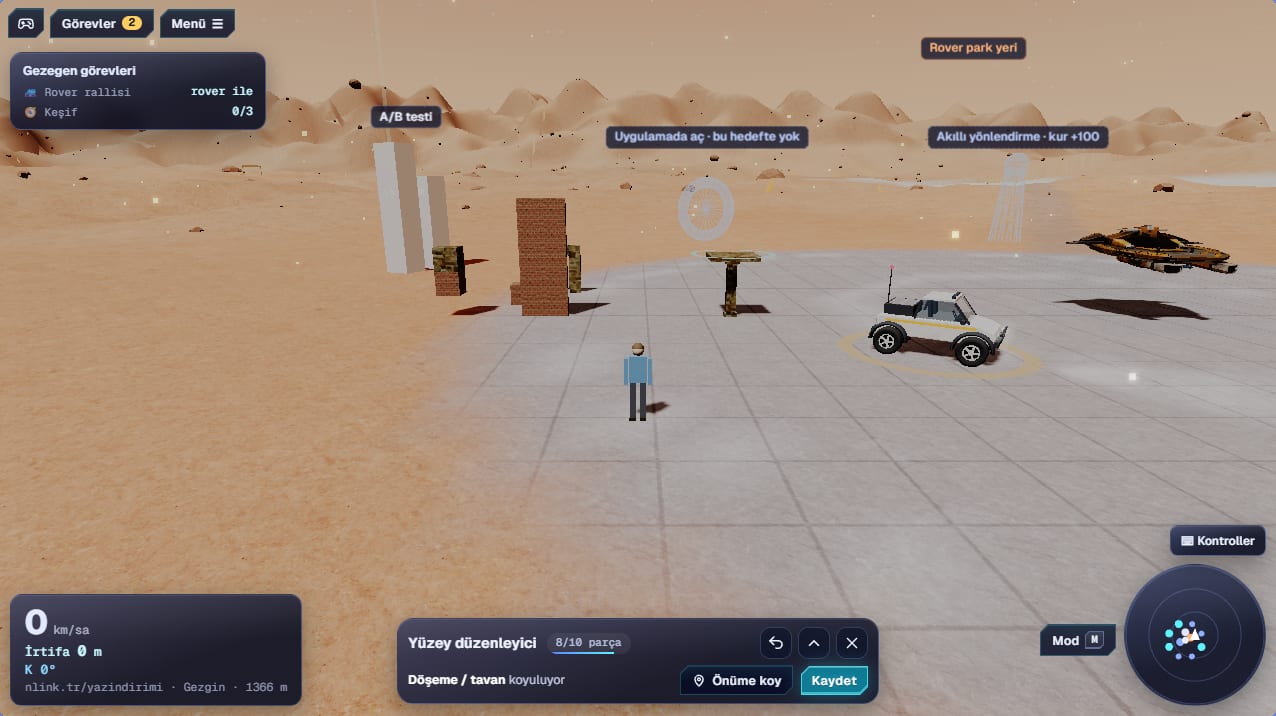
- The Building tab offers blocks, walls, walls with a window or door, floors or ceilings, columns and roofs.
- Materials: brick, stone, wood, concrete, marble and glass, all with real textures.
- Tap a building part and the next one goes on top of it; stack up to 30 meters.
- Walls block you, doors let you through, and you can walk under ceilings.
A refreshed storefront
The storefront in the square was refreshed too: the counter has a striped awning, string lights and plant pots; ad boards are framed and lit, product cards float in the air. The storefront panel opens with a cover in your brand color, and the request form carries a Send button in the same color.
Build your planet
Shorten a link to get a planet, then shape it with Look and Edit.
Enter the universe